Yuzu Browser: web browser6.0.2
Publisher Description
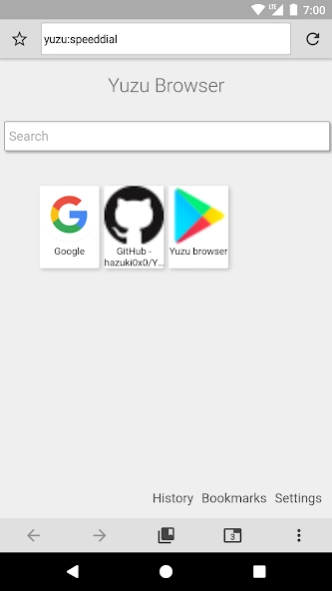
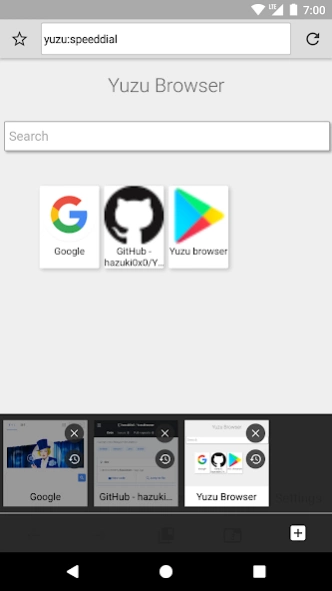
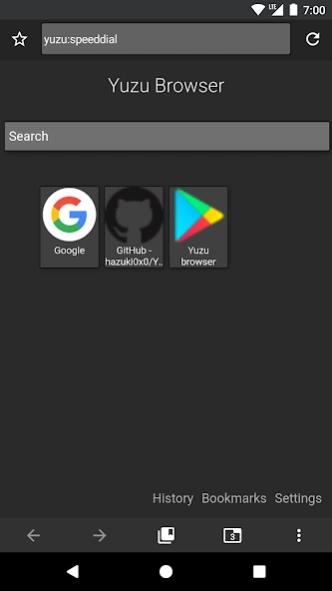
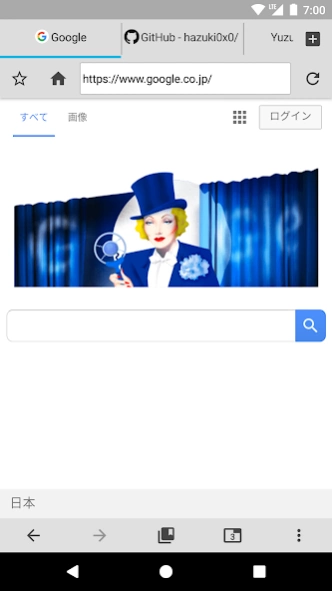
You can make your own browser with customization.
Yuzu Browser is a multifunctional, powerful and freely customizable browser.
Let's make a comfortable browser of your choice.
You can place buttons and tool bars freely.
Multiple functions can be assigned to one button.
This browser has *not* ads, and it's free.
Translation volunteer is welcome. Please login and help to translate.
https://translate.zanata.org/project/view/YuzuBrowser
New Theme Pack
The new theme pack whose extension is ".yuzutheme" can be easily imported and used.
Just download the theme pack and tap it to import!
Please refer to the project page when creating.
Classic Theme
In addition to the default settings, you can make it yourself.
Also, you can use the theme of mikan browser as it is.
Put theme to(internal strage): /sdcard/YuzuBrowser/theme/**your_theme_name**/
Permissions
● permission.INTERNET:
Needed to access the internet for browsing
● permission.WRITE_EXTERNAL_STORAGE:
Needed for downloading files and backing up data
● permission.READ_EXTERNAL_STORAGE:
Needed for downloading files and restoring data
● permission.ACCESS_LOCATION:
Needed for sites that want your location (you can deny location access)
● permission.ACCESS_FINE_LOCATION:
Needed for sites that want your location (you can deny location access)
● permission.WAKE_LOCK:
Needed for playing video
● permission.INSTALL_SHORTCUT:
Needed for [add to home screen] action
● permission.CAMERA:
Needed to support WebRTC (you can deny camera access)
● permission.RECORD_AUDIO:
Needed to support WebRTC (you can deny record audio)
●permission.MODIFY_AUDIO_SETTINGS:
Needed to support WebRTC
This application is an open source application.
Source code on github: https://github.com/hazuki0x0/YuzuBrowser
About Yuzu Browser: web browser
The company that develops Yuzu Browser: web browser is hazuki. The latest version released by its developer is 6.0.2.
To install Yuzu Browser: web browser on your Android device, just click the green Continue To App button above to start the installation process. The app is listed on our website since 2021-03-01 and was downloaded 26 times. We have already checked if the download link is safe, however for your own protection we recommend that you scan the downloaded app with your antivirus. Your antivirus may detect the Yuzu Browser: web browser as malware as malware if the download link to jp.hazuki.yuzubrowser is broken.
How to install Yuzu Browser: web browser on your Android device:
- Click on the Continue To App button on our website. This will redirect you to Google Play.
- Once the Yuzu Browser: web browser is shown in the Google Play listing of your Android device, you can start its download and installation. Tap on the Install button located below the search bar and to the right of the app icon.
- A pop-up window with the permissions required by Yuzu Browser: web browser will be shown. Click on Accept to continue the process.
- Yuzu Browser: web browser will be downloaded onto your device, displaying a progress. Once the download completes, the installation will start and you'll get a notification after the installation is finished.
Program Details
System requirements
Download information
Pricing
Version History
version 6.0.2
posted on 2021-03-01
Version 6.0.2
Fix JavaScript-based functions (e.g. UserScript, Ad block) when fast back is enabled
Fix a bug that invert gray scale is not working
Fix some crash bugs
Version 6.0.0
Upgrade ad block engine
Supports scoped storage APIs
- If you are using a custom theme, you will need to import it.
Supports Web theme
Add Navigation bar color options
Add Turkish language
Improve UI implementations
Update libraries
Bug fix
version 6.0.1
posted on 2021-02-28
Version 6.0.1
Fix some crash bugs
Version 6.0.0
Upgrade ad block engine
Supports scoped storage APIs
- If you are using a custom theme, you will need to import it.
Supports Web theme
Add Navigation bar color options
Add Turkish language
Improve UI implementations
Update libraries
Bug fix
version 6.0.0
posted on 2021-02-27
Upgrade ad block engine
Supports scoped storage APIs
- If you are using a custom theme, you will need to import it.
Supports Web theme
Add Navigation bar color options
Add Turkish language
Improve UI implementations
Update libraries
Bug fix
version 5.0.2
posted on 2019-04-29
version 5.0.2
Fix a bug that can not open download file on Android 9
Fix crash bug
version 5.0.0
Application implementation structure change
Update of UI such as bookmark, history, download list
Dealing with Infinite Alerts
Adjust UI
Add and update translations
Update libraries
Bug fix
